
Muhammad Najash
- SEO
- April 11, 2026
How to Rank Google My Business in 2026 (Complete Step-by-Step Guide)
Table of Contents
- What Is Google Business Profile and Why It Still Matters in 2026
- How Google Ranks Local Businesses: The 3 Core Factors
- How to Optimize Your Google My Business Profile Step by Step
- Local Citation Building: The Ranking Factor Most Businesses Ignore
- How to Get More Google Reviews (And Use Them to Rank Higher)
- Common GMB Mistakes That Kill Your Local Rankings
- Real Example: How I Ranked a Local Business #1 on Google Maps
- Conclusion
Most businesses set up their Google Business Profile once and never touch it again. Then they wonder why competitors with worse websites outrank them on Google Maps every single day.
Ranking your Google My Business listing in 2026 is not about luck — it’s about executing a clear, repeatable set of actions that Google rewards. The good news is that most of your competitors are not doing these things. That gap is your opportunity.
This guide breaks down every ranking factor, optimization step, and proven tactic I use when helping small local businesses dominate their local market on Google. You will walk away knowing exactly what to do, in what order, and why it works.
What Is Google Business Profile and Why It Still Matters in 2026
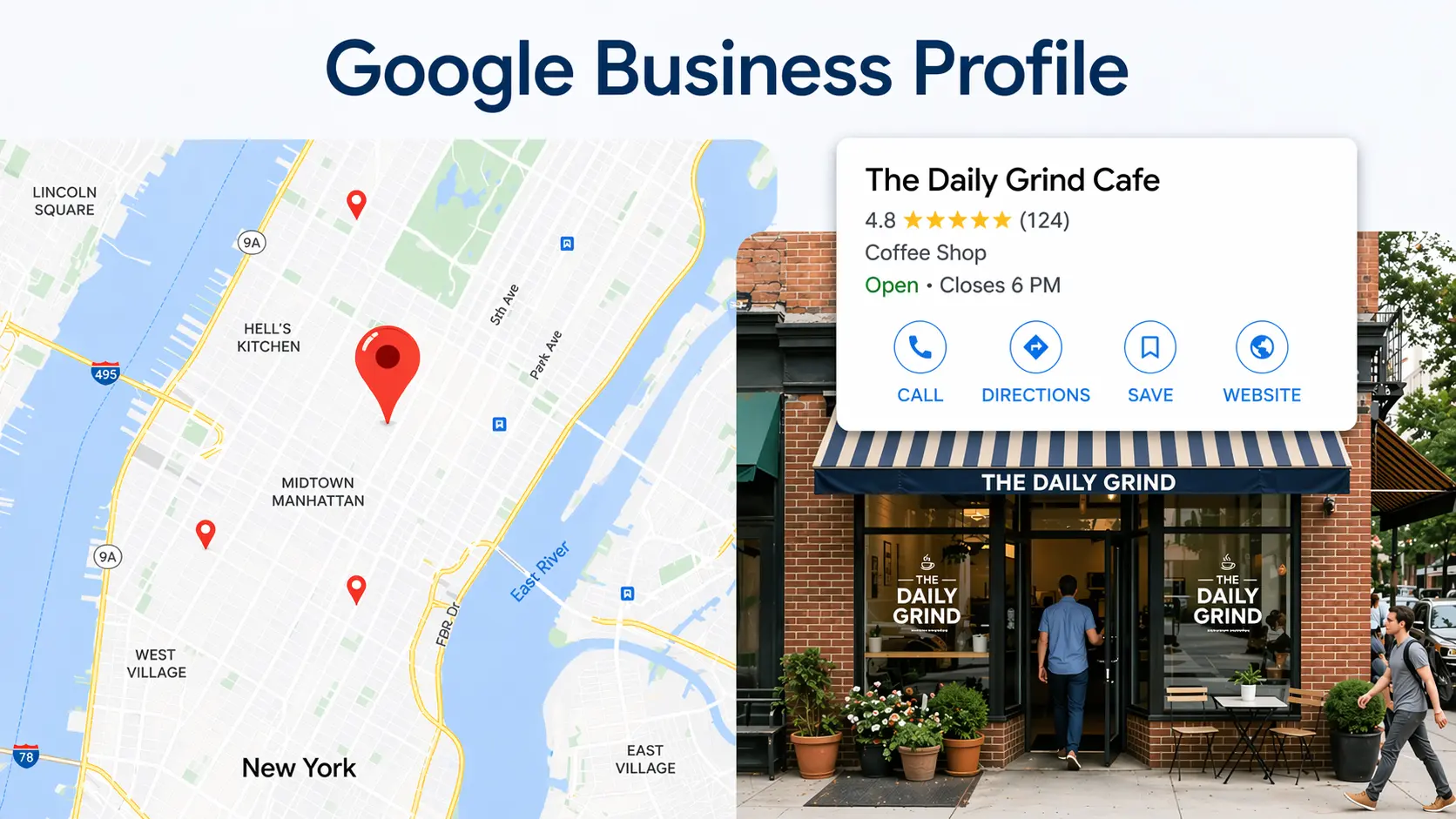
Your Google Business Profile (formerly called Google My Business) is the free listing that appears when someone searches for your business or a service you offer near them.
It powers the local pack — those three business results at the top of Google Search — as well as your presence on Google Maps. When someone searches “dentist near me” or “best plumber in [city],” the businesses that appear in that local pack are winning customers without spending a single rupee on ads.
In 2026, this matters more than ever because Google’s AI Overviews increasingly pull data directly from Business Profiles to answer local queries. A complete, well-optimized profile now feeds both traditional local search and AI-generated responses simultaneously.
The average Business Profile receives only 1,260 views per month according to BrightLocal‘s 2025 Local Consumer Review Survey — a shockingly low number given how many people search Google daily. This tells you that most profiles are severely under-optimised, and that even modest improvements can produce dramatically better visibility.
How Google Ranks Local Businesses: The 3 Core Factors
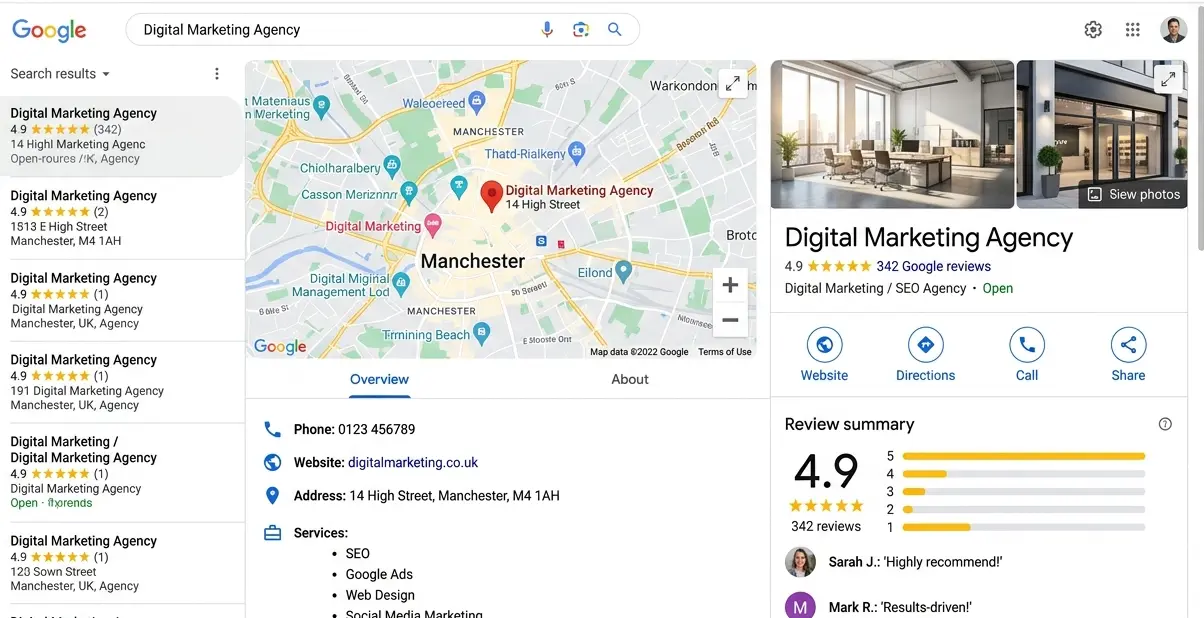
Google uses three primary factors to decide which businesses appear in local search results: Relevance, Distance, and Prominence.
Understanding these factors is the foundation of everything else in this guide. Every optimization tactic you implement is designed to improve your score in one or more of these three areas.
Relevance: Does Your Profile Match What the Searcher Needs?
Relevance measures how well your Business Profile matches the intent behind a search query. Google looks at your business category, your description, the services you list, and the keywords that appear in your reviews to determine whether you are a good match.
The most powerful relevance signal is your primary business category. If a bakery selects “Bakery” as its primary category but also offers custom cakes, adding “Custom Cake Shop” as a secondary category helps it appear for both searches. Most businesses pick one category and stop — do not make that mistake.
Your business description also plays a role. Include your core services and the cities or neighborhoods you serve — but write naturally, not like you are stuffing keywords into a box.
Distance: How Close Are You to the Searcher?
Distance measures the physical proximity of your business to the person searching. Google factors in the user’s location or the location mentioned in the search query.
You cannot move your business to be closer to every potential customer. However, you can influence how broadly Google interprets your service area by properly configuring your service area settings inside your Business Profile. Businesses that serve clients at their location AND travel to serve customers can list both their address and their service area.
Prominence: How Well-Known and Trusted Is Your Business?
Prominence measures how established and reputable your business appears — both online and offline. Google evaluates your review count, your average star rating, your website authority, and the number of times your business is mentioned across the web (citations).
This is the factor most businesses can improve the fastest. A focused effort on generating reviews and building citations over 60–90 days produces measurable ranking improvements. More on both of these below.
How to Optimize Your Google My Business Profile Step by Step
Optimizing your Google Business Profile is the single highest-leverage action you can take to improve your local search rankings — and it costs nothing.
Many businesses skip half of these steps because the profile “looks fine.” A profile that looks fine to you often looks incomplete to Google’s algorithm. Follow every step below.
Step 1: Claim and Verify Your Business
If you have not verified your business, you have no ranking power. Go to business.google.com, claim your listing, and complete Google’s verification process. Verification methods in 2026 have changed significantly — video verification is now the primary method Google uses for most business types. Phone verification is still available for some categories. Postcard verification has been largely discontinued and is rarely offered anymore.
Step 2: Select the Right Primary and Secondary Categories
Your primary category is the most important field in your entire profile. Choose the most specific category that describes your core business — not the broadest one. A physiotherapy clinic should select “Physical Therapist,” not “Health.”
Add up to 9 secondary categories that reflect additional services you offer. Each secondary category makes your profile eligible to appear for additional search queries. Review your top competitors’ categories to identify gaps you may be missing.
Step 3: Complete Every Field in Your Profile
Google rewards completeness. Fill in every available field:
- Business name (exactly as it appears in the real world — no keyword stuffing)
- Address and phone number (consistent with your website)
- Website URL
- Hours of operation (including holiday hours)
- Business description (750 characters — use naturally written sentences with your services and location)
- Products and services (add every individual service with a description and price if applicable)
- Attributes (wheelchair accessible, women-owned, outdoor seating, etc.)
Step 4: Upload High-Quality Photos Consistently
Google’s own data shows that businesses with photos receive 42% more requests for directions and 35% more website clicks. Upload at least 10 photos when you launch and add new photos at least once per week.
Include photos of your storefront exterior, interior, your team, your work in progress, and finished results. For restaurants, include food photos. For salons, include before and after results. For contractors, include completed projects.
Step 5: Post Weekly Updates
Google Posts are short updates that appear on your Business Profile in search results. They signal to Google that your listing is active and current. Post at least once per week — share offers, events, news, or tips relevant to your customers.
Each post should include a photo, a 100–300 word update, and a call-to-action button.Offer and Event posts expire after 7 days — but standard Update posts do not expire automatically. That said, older posts get deprioritised in your profile display over time, which is another reason to make posting a weekly habit. Fresh posts signal to Google that your business is active and engaged.
Step 6: Enable and Respond to Messages
Google’s messaging feature lets customers contact you directly from search results. Enable this feature and commit to responding within 24 hours. Google tracks your response rate and speed — businesses that respond quickly earn a “Responds quickly” badge that builds trust and improves conversion.
Local Citation Building: The Ranking Factor Most Businesses Ignore
A local citation is any online mention of your business name, address, and phone number — and building consistent citations is one of the most powerful Google Maps ranking factors that most small business owners have never heard of.
Citations signal to Google that your business is legitimate, established, and worth showing to searchers. According to Whitespark’s 2024 Local Search Ranking Factors study, citation signals account for a meaningful share of local pack ranking factors.
Where to Build Citations
Start with the top-tier directories that Google trusts most:
- Google Business Profile (your own listing)
- Bing Places for Business
- Apple Maps
- Facebook Business Page
- Yelp
- Yellow Pages / JustDial (for Indian markets)
- Foursquare
- Industry-specific directories (Houzz for contractors, Zomato for restaurants, Practo for healthcare)
The NAP Consistency Rule
Every citation must display your business name, address, and phone number in exactly the same format. A business listed as “abc’s Plumbing” in one directory and “abc Plumbing Services” in another creates conflicting signals for Google.
Audit your existing citations using a tool like BrightLocal or Whitespark and fix any inconsistencies before building new ones. Inconsistent NAP is one of the most common silent ranking killers.
|
Incomplete Profile
|
Optimized Profile
|
|---|---|
|
Business name only
|
Name + 8 categories
|
|
No business description
|
Complete description
|
|
No keywords in description
|
Keywords in business description (natural)
|
|
No services/products listed
|
Services/products added
|
|
Few or no reviews
|
4★+ reviews + reply to all reviews
|
|
No photos uploaded
|
10 photos uploaded
|
|
Wrong location pin
|
Location & map pin accurate
|
|
Wrong or inconsistent NAP
|
Correct NAP (same everywhere)
|
How to Get More Google Reviews (And Use Them to Rank Higher)
Your Google review count and average rating directly influence your prominence score — the factor that separates businesses stuck at position 5 from those dominating the local pack.
Reviews are the most visible trust signal on your Business Profile. A business with 4.8 stars and 120 reviews will almost always outperform one with 4.9 stars and 12 reviews, both in rankings and in click-through rate.
A Simple System for Getting Reviews Consistently
The businesses that accumulate reviews fastest are not the ones that occasionally ask — they are the ones with a repeatable system. Here is the simplest version:
- Send every satisfied customer a direct review link
- Ask immediately after a positive experience — within 24–48 hours while the emotion is fresh
- Use a short, natural script: “We really appreciate your business. Would you mind leaving us a quick Google review? It helps other customers find us. Here’s the direct link.”
- For service businesses, follow up via WhatsApp with the link after job completion
How to Respond to Every Review
Responding to reviews — both positive and negative — is a ranking signal, not just a courtesy. Respond to every review within 48 hours. For positive reviews, thank the customer and mention your business name and a service keyword naturally. For negative reviews, acknowledge the concern, offer a solution, and move the conversation offline.
Never copy-paste the same response to multiple reviews. Google can detect templated responses and they provide no SEO value.
Common GMB Mistakes That Kill Your Local Rankings
The fastest way to improve your GMB ranking is sometimes to stop doing what is hurting you: these are the most common mistakes I see when I audit local business profiles.
Keyword stuffing your business name: Adding “| Best Plumber | Lowest Price” to your business name violates Google’s guidelines and can trigger a suspension. Your business name should match your real-world business name exactly.
Choosing the wrong primary category: Selecting a broad category like “Contractor” instead of “Roofing Contractor” means you compete for every contractor search but rank for none. Be specific.
Ignoring the Q&A section: The Questions & Answers section on your profile is public — and anyone can answer, not just you. Seed your own Q&A with the most common questions your customers ask. This adds keyword-rich content to your profile and controls the narrative.
Never posting updates: A profile with the last post from six months ago signals to Google that your business may be inactive. Weekly posts take 10 minutes and consistently refresh your profile’s activity signals.
Letting negative reviews sit unanswered: An unresponded negative review tells every potential customer that you do not care. It also misses the opportunity to demonstrate professionalism publicly.
Uploading low-quality or stock photos: Google’s algorithm evaluates photo engagement. Authentic photos of your actual business, team, and work generate more views and profile actions than generic stock images.
Real Example: How I Ranked a Local Business #1 on Google Maps
This is not theory — here is exactly what we did to take a local plumbing business from invisible on Google Maps to the #1 result in their city within 11 weeks.
When the client came to me, their Business Profile was verified but severely under-optimized. They had selected “Plumber” as their only category, had 6 reviews, no photos beyond a logo, and had never posted an update. Their profile was essentially invisible for anything beyond branded searches.
What We Did in the First 30 Days
We started with the foundation. We added 8 secondary categories (drain cleaning, water heater installation, pipe repair, emergency plumber, etc.), rewrote the business description with natural service and location language, and uploaded 22 photos of their team, vans, and completed jobs.
We built 40 new citations across top directories, fixed 11 inconsistent NAP entries from old listings, and launched a review request system via WhatsApp that they sent to every completed job customer.
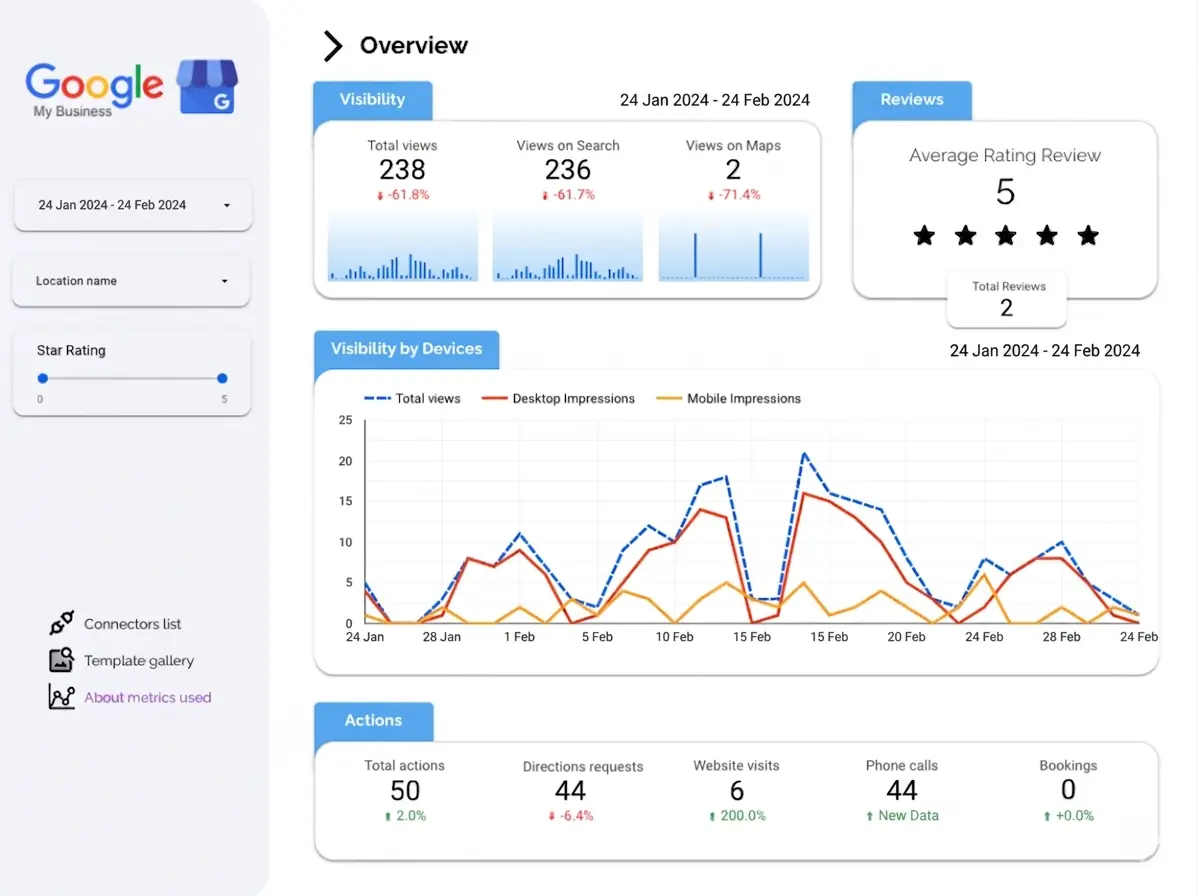
The Results After 11 Weeks
- Reviews: 6 → 47 (4.9 stars average)
- Position in local pack: Not visible → #1 for “plumber [city name]”
- Profile views per month: Up 340%
- Direction requests: Up 280%
- Phone calls from profile: Up 190%
The single most impactful action? Fixing the categories and building citations. Within 3 weeks of those changes alone, the profile moved from position 8 to position 4. Reviews and posts pushed it the rest of the way.
Conclusion
Ranking your Google My Business profile in 2026 comes down to one truth: complete, consistent, and active profiles win.
Google rewards businesses that look legitimate, serve their customers well, and stay engaged with their online presence. That means the right categories, a complete profile, consistent citations across the web, a steady stream of genuine reviews, and weekly posts that signal you are still in business and thriving.
If you are a local business that has not yet optimized your Google Business Profile — or you have one that has not been touched in months — this is the highest-ROI marketing move you can make right now, and it costs nothing but time.
I work with local businesses across industries to build and rank their Google Business Profiles using exactly the strategies in this guide. If you want me to audit your GMB listing and build a personalized ranking plan for your business, book your free GMB audit at muhammadnajash.com today — most clients see movement within the first 30 days.
Post author
Najash is a passionate blogger and SEO Specialist based in Kannur, Kerala, dedicated to sharing meaningful ideas and data-driven insights. With deep expertise in search engine optimization, Najash helps brands and businesses grow their online presence through smart strategies. Follow along for expert tips and practical advice that make every read worthwhile.
Related Article
- All Posts
- SEO